
Track every game you play, see your stats grow, and connect with people who love the same games. Your gaming life, in one place.
Get Started in 2 Steps
1. Create your account Sign up with email or Google Sign-In. A short onboarding walks you through uploading an avatar (you can skip it), picking a username, accepting the terms of service, and choosing one or more usage personas that tailor the default layout of your home, game, and profile pages. That's it — you're in.
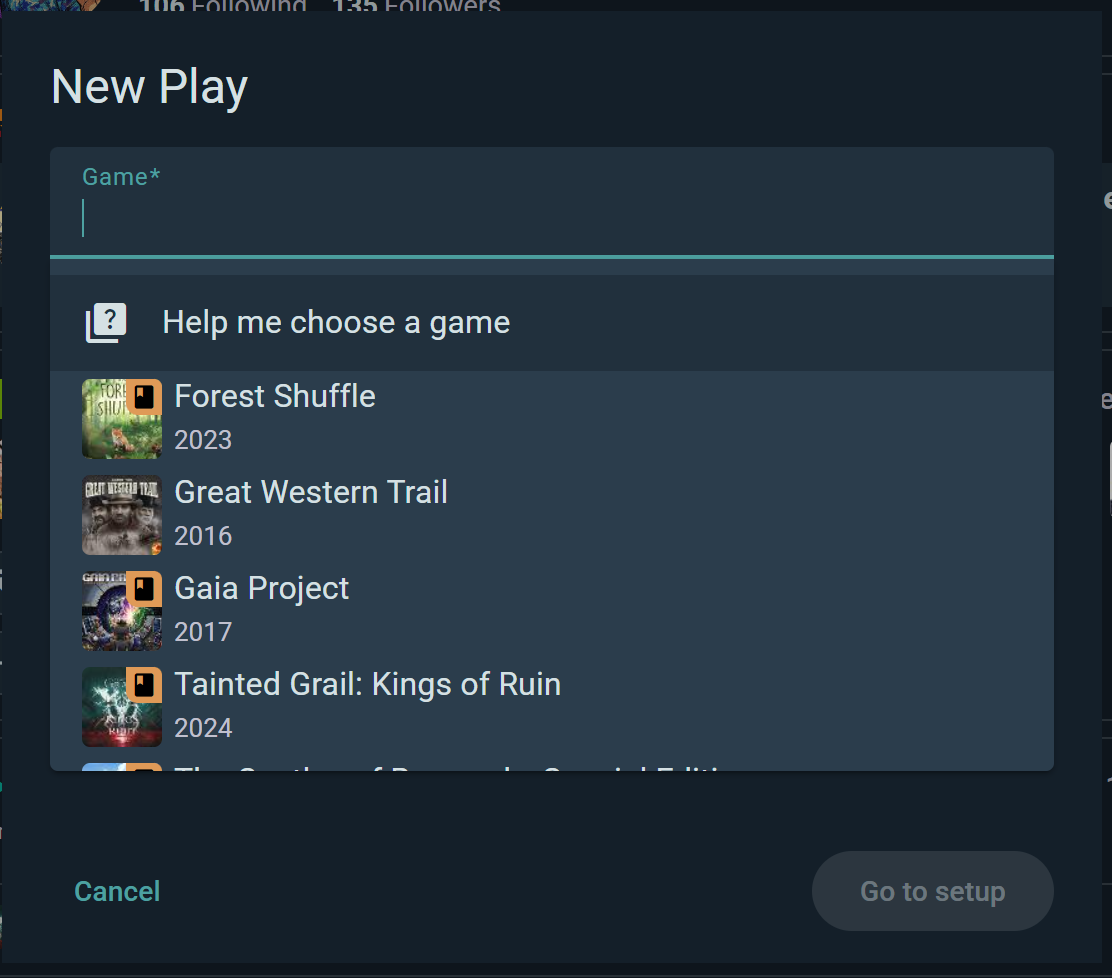
2. Start a live session at the table Tap Start play, pick the game, and add your players — Ludoya users, or anyone who isn't on Ludoya (just type their name; you keep them as a saved player for next time). Hit play. Each player can fill in their own scores on their own phone as the game progresses; everything syncs in real time across the table. When the game ends, mark the winner and finish the session. It saves to everyone's history automatically.
Done. Your play history and stats start building from that first session.
Once You're Playing
Quick-Log
No phone at the table? Log the play afterward with quick-log — game name, players, winner, duration. Takes 30 seconds.
Connect With People
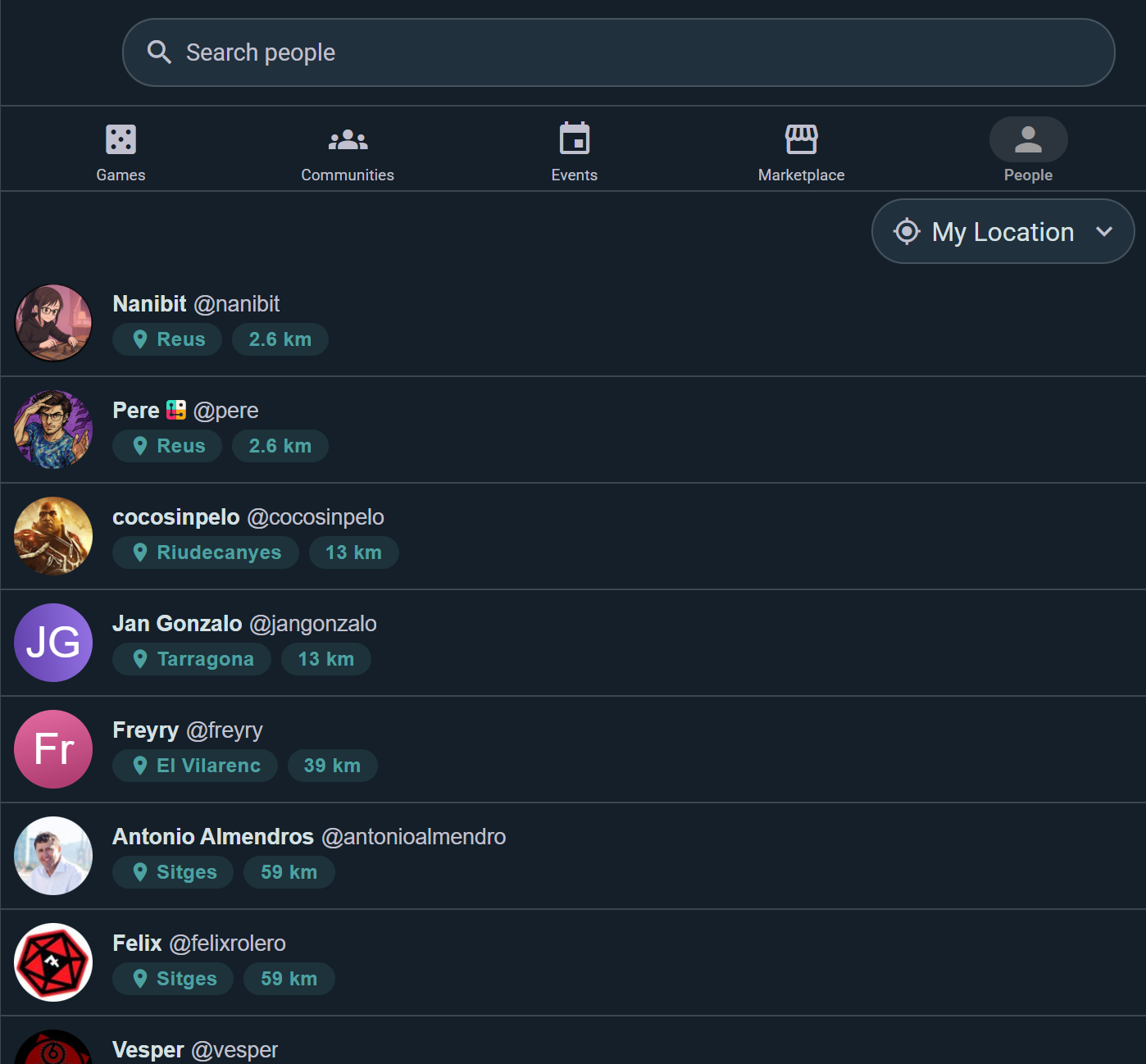
Find friends in Explore → People and hit Follow — their plays, posts, and events appear in your social feed. Don't have friends on Ludoya yet? That's fine; invite them after a session. The players you saved for them can be linked to their real account once they sign up, handing over all the plays you logged together.
Game Kits
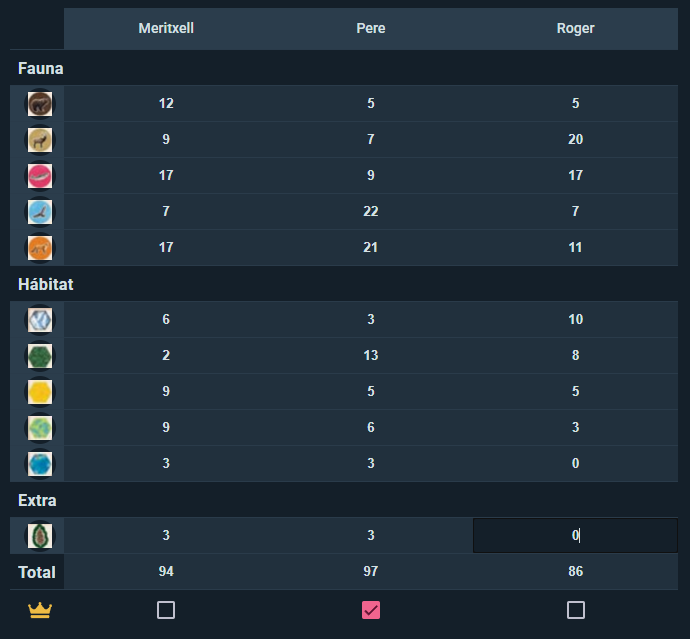
For games with fiddly end-game scoring, grab a Game Kit — a play aid someone in the community has already built for that title. It gives you a structured score sheet that totals each category for you, plus setup checklists, round steps, and randomizers for picking roles or starting colours. Browse the kits on any game's page, or build your own and share it.
Play Tags and Auto-Accept
When a friend logs a play and tags you, it waits as a pending tag — tap Add to my profile to make it yours, or No, thanks if something's off. Play with the same people every week? On any of their tags, tick the option to always add their plays, and everything they tag you in lands in your history automatically from then on. You can switch that off again from their profile.
Track Your Gaming Life
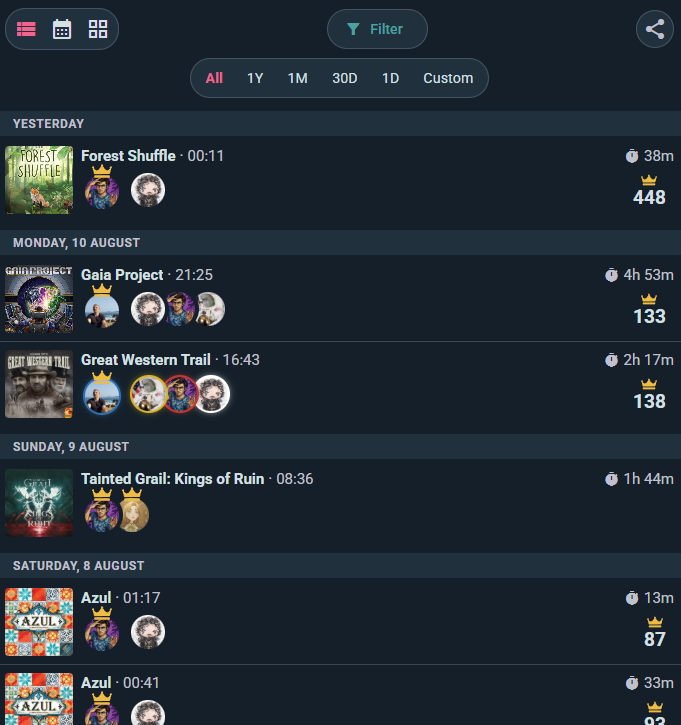
Play history shows every game you've played in three views: list, grid, or calendar. Filter by date, game, location, or player count. Share your history as a link, image, or QR code.
Ludoya Replay turns each month into an animated story you can swipe through and share — your activity, your biggest gaming day, your top games, the people you played with, and standout sessions picked automatically. A new one is ready on the 1st, covering the month just gone, and Ludoya tells you when it's up. Your yearly Replay appears the same way once the year is complete, on 1 January. A period needs a handful of plays before it earns a Replay, so a very quiet month or year may not get one.
Statistics go deeper: total sessions and hours, your most-played games, a breakdown of the players you play with most, your win rate, where you play, how your plays spread across the week, and a pie chart splitting them by table size. There's an H-index too — the largest number N where you've played N games at least N times each — and a head-to-head comparison view for sizing yourself up against any other player.
Badges mark the milestones as you go, and you pick three favourites to headline your profile.
Find a Game Night
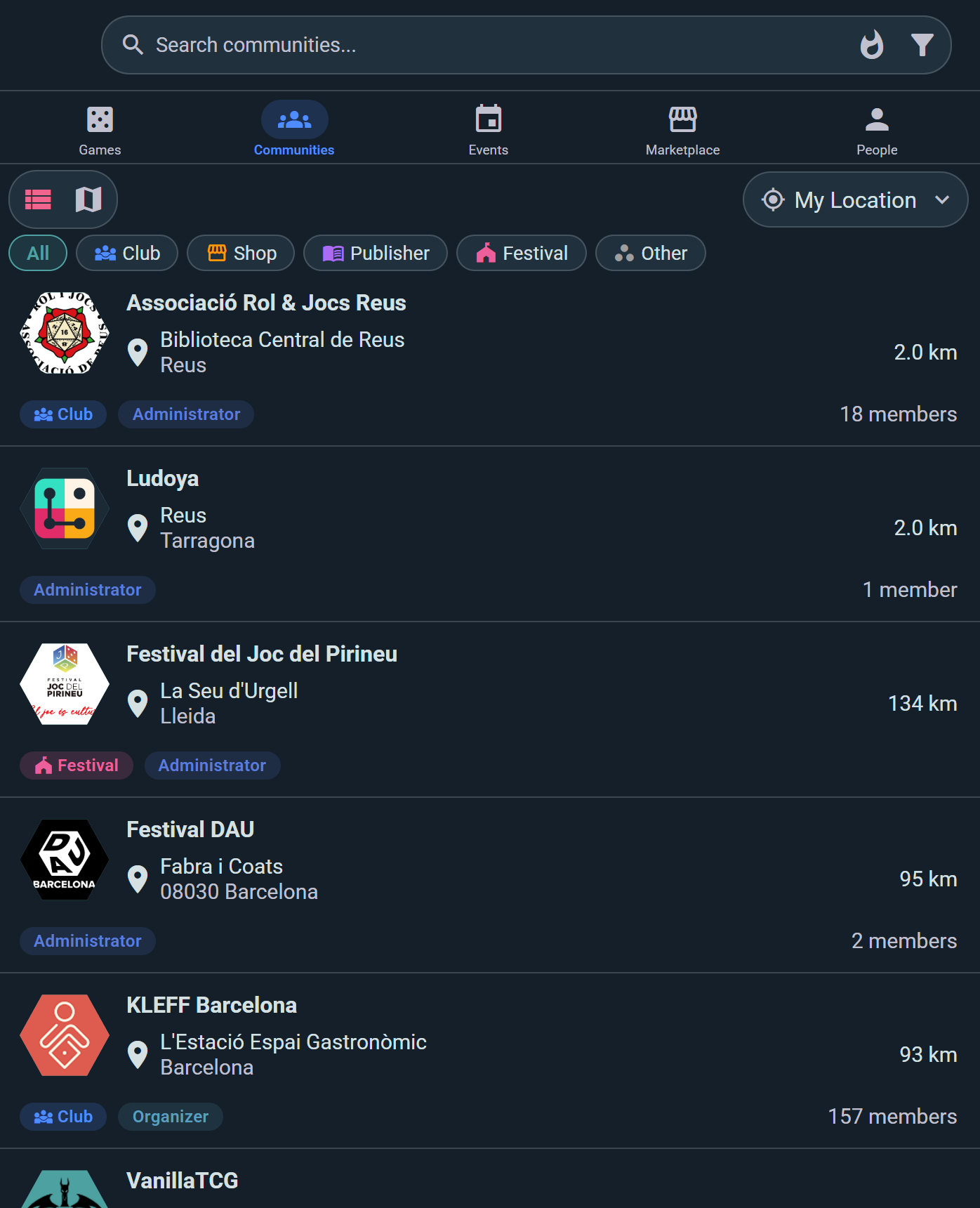
Browse Events near you in Explore → Events, filtering by distance and narrowing to the ones still open, or hiding the ones you've already joined. Tap an event to see the lineup, who's attending, and the details (time, venue, host), then hit Join. If the event has scheduled games, sign up for the tables you want — and if one's full, you can put yourself on its wait list. Tap Add to calendar to drop the event into Apple Calendar, Google Calendar, or Outlook.
Settle Rules Disputes
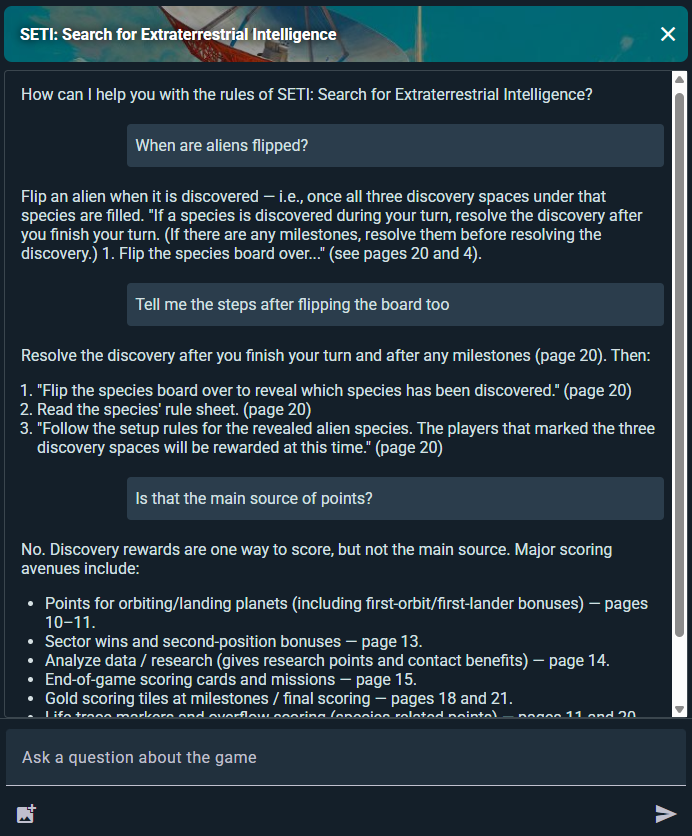
The AI Game Assistant answers rules questions mid-game. Type a question or snap a photo of the board. Free users get a daily question allowance; Player tier subscribers get higher limits.
Discover New Games
Every game page shows community stats (who plays it, how often, at which player counts), reviews from people you follow, upcoming events featuring the game, and marketplace listings if you want to buy a copy.
Your friends' activity is the best recommendation engine — see what they're playing, how they rate it, and whether they own a copy you could borrow.