Stay connected with real-time updates from your gaming community. Ludoya notifies you about plays, events, groups, marketplace activity, shop deals, and more — and you decide how each one reaches you.
Where to Find Them
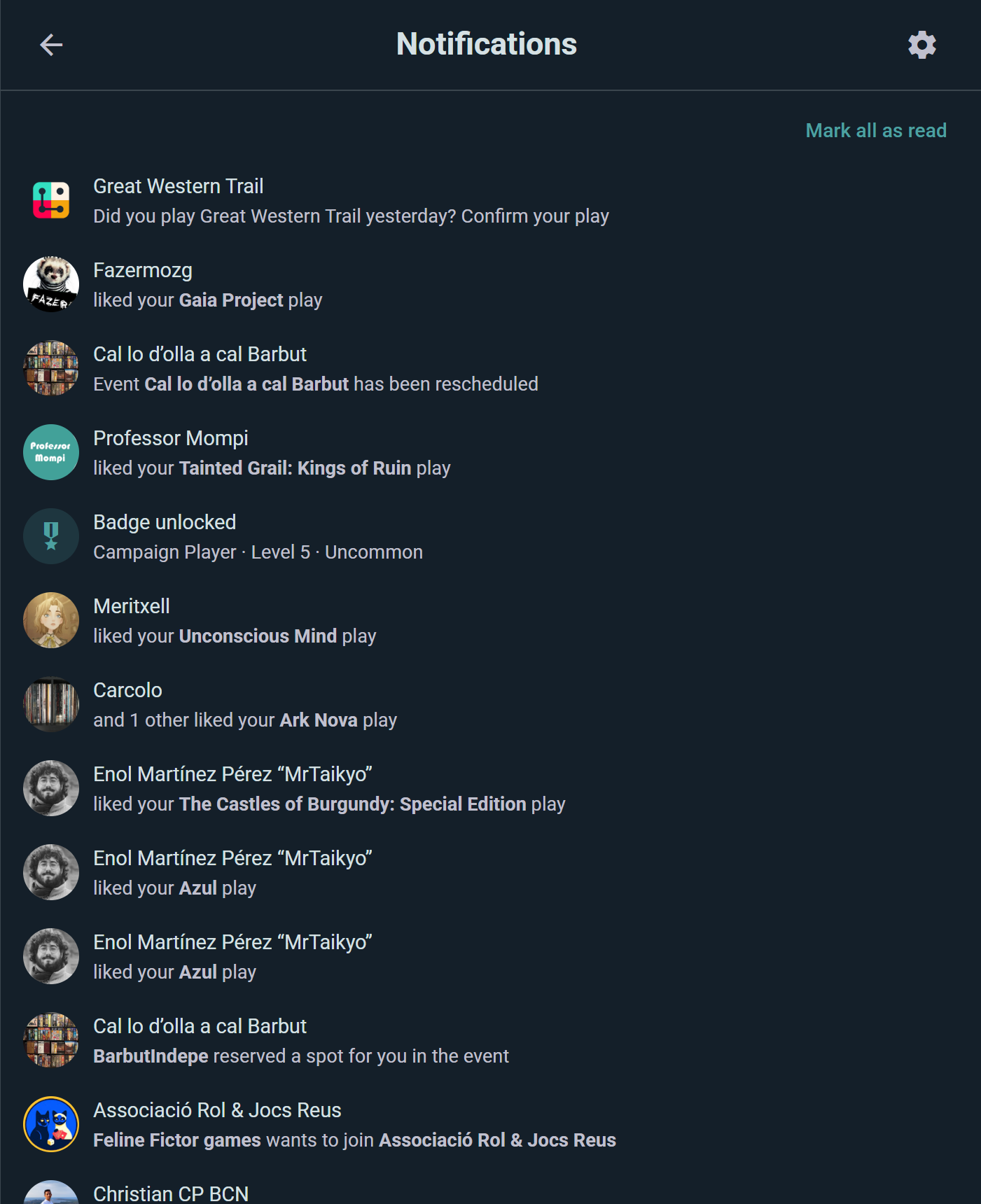
Tap the bell — in the bottom bar on mobile, or the side menu on desktop — to open your notifications, with an unread badge showing how many are waiting. Everything syncs across your devices, so reading a notification on your phone clears it on your laptop too.
Delivery Channels
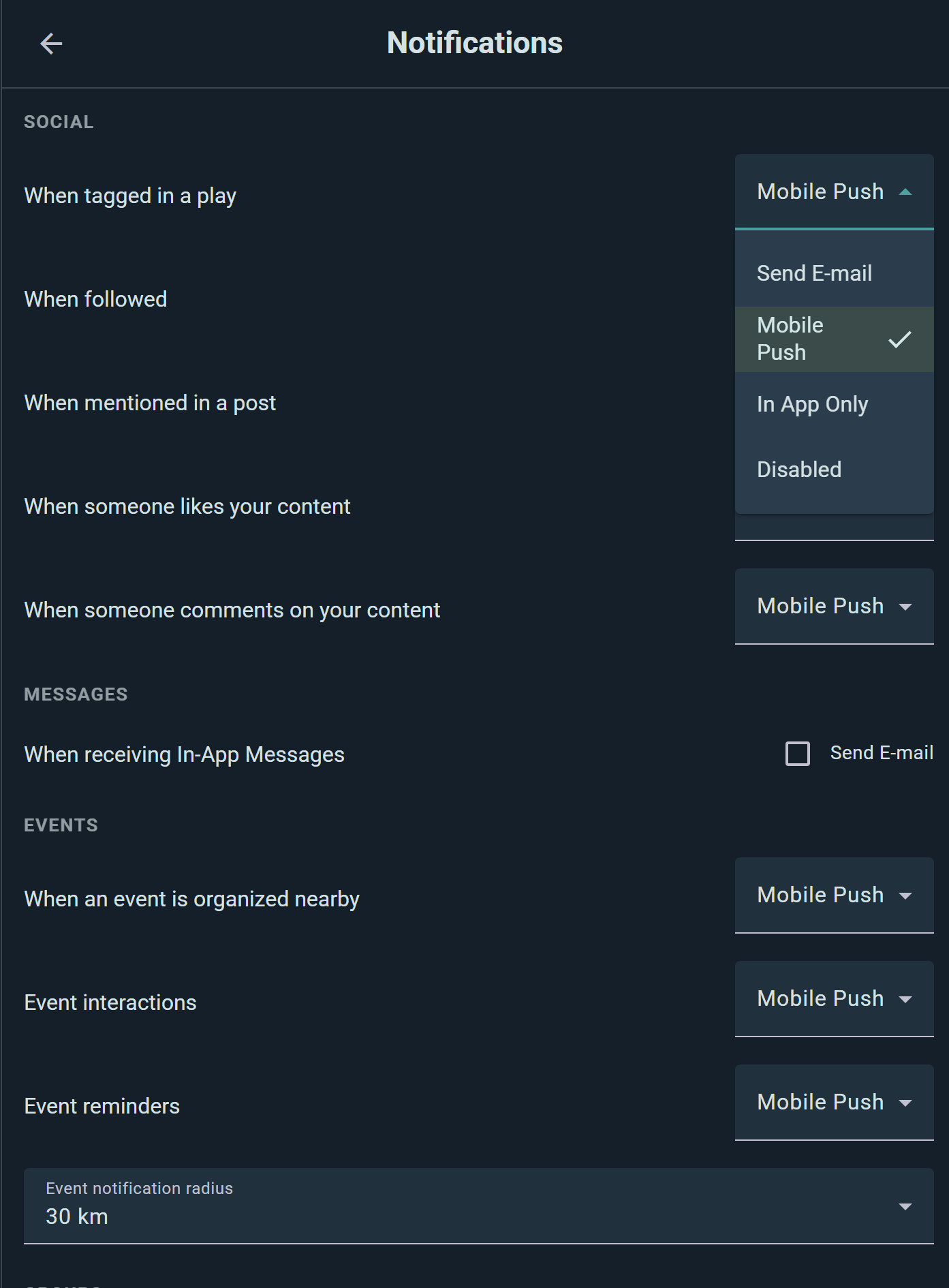
The real power is per-topic control. For every kind of notification you pick one of four delivery options:
- Send E-mail — it lands in your inbox
- Mobile Push — a push notification on your phone
- In App Only — it appears in Ludoya, and nowhere else
- Disabled — you're not notified at all
Set them all in Settings → Notifications. Nothing is all-or-nothing: you can have event reminders pushed to your phone, marketplace inquiries emailed, and likes stay quietly in-app.
What You Can Be Notified About
Settings are grouped the same way the app groups them.
Social
When you're tagged in a play, when someone follows you, when you're mentioned in a post, and when someone likes or comments on your content.
Messages
A single choice: whether direct messages also reach you by e-mail when you haven't read them in the app.
Events
When an event is organized nearby, event interactions (someone joins, comments, or changes an event you're part of), and event reminders before it starts.
Groups
When a group is created near you, and group interactions in the communities you belong to.
Marketplace
When someone asks about your listing, listing status changes (reserved, delivered, completed), listing expiration (expiring, expired, renewed), wishlist matches when a listing appears for a game you want, and transaction ratings. See Marketplace.
Campaigns
Invites and join requests for your campaigns.
Shops
Price drops and new arrivals from retail shops — see Shops & Prices.
Other
Your monthly plays summary, badge unlocks, raffles you're entered in, the outcome of game catalog edits you submitted, and BoardGameGeek link results.
Some closely-related notifications share one setting — "listing expiration" covers expiring, expired, and renewed together, for example — so the settings screen stays short instead of listing thirty separate switches.
Service announcements from Ludoya itself are always delivered and aren't configurable.
Radius for Nearby Alerts
"Nearby event" and "nearby group" alerts use your profile location, and you choose how far out to listen:
- 2 km — your neighborhood
- 5 km — the default
- 30 km — regional
- 100 km — wide area
The Event notification radius selector sits with the Events group in Settings → Notifications.
Managing Your Notifications
Mark as read: tap a notification to jump to whatever it's about — it's marked read on the way.
Mark all as read: clear the whole list at once with the Mark all as read button.
Change your mind anytime: every channel choice in Settings → Notifications takes effect immediately, so it's easy to dial things down during a busy week and turn them back up later.