
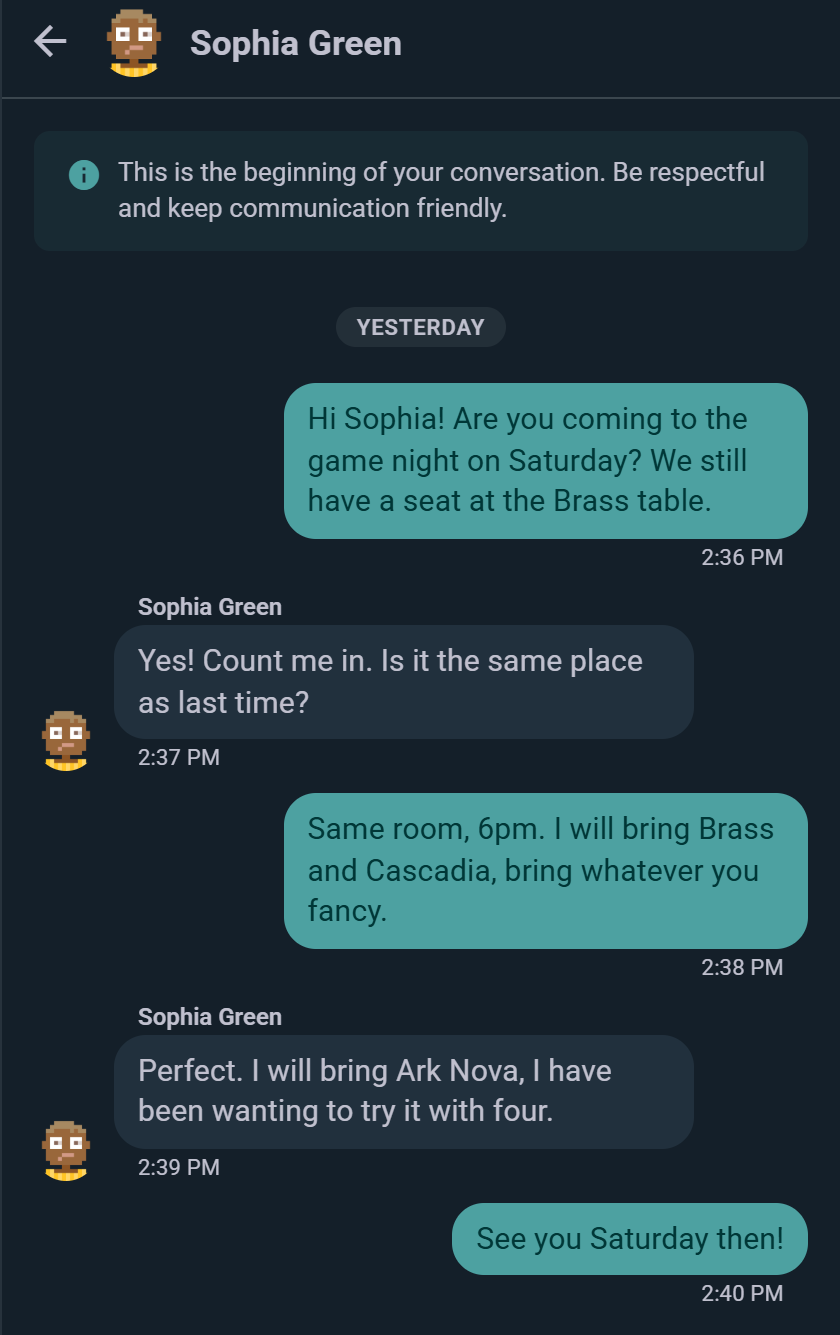
Ludoya's messaging system lets you have real-time conversations with other players. Use it to coordinate game nights, negotiate marketplace trades, ask questions, or just chat.
Starting a Conversation
You can start a direct message from several places:
- User Profile: Tap the message icon on someone's profile
- Marketplace: Tap the seller to message them about a listing
- Event games list: message whoever's bringing a particular game
- Messages Tab: Tap the + button to start a new conversation
When you message someone, a real-time conversation thread opens and you can exchange messages instantly.
Real-Time Delivery
Messages arrive instantly — no refreshing, no polling. Your conversation list shows an unread count beside any thread with new messages, and it clears as you read.
There are no per-message read receipts, so nobody can tell whether you've opened a message yet.
Changed your mind? Delete any message you sent from its ⋮ menu — both sides then see "Message deleted" in its place.
You get a notification when someone messages you, and you can have Ludoya email you as well if a message goes unread — see Notifications.
Contextual Conversations
Marketplace Conversations
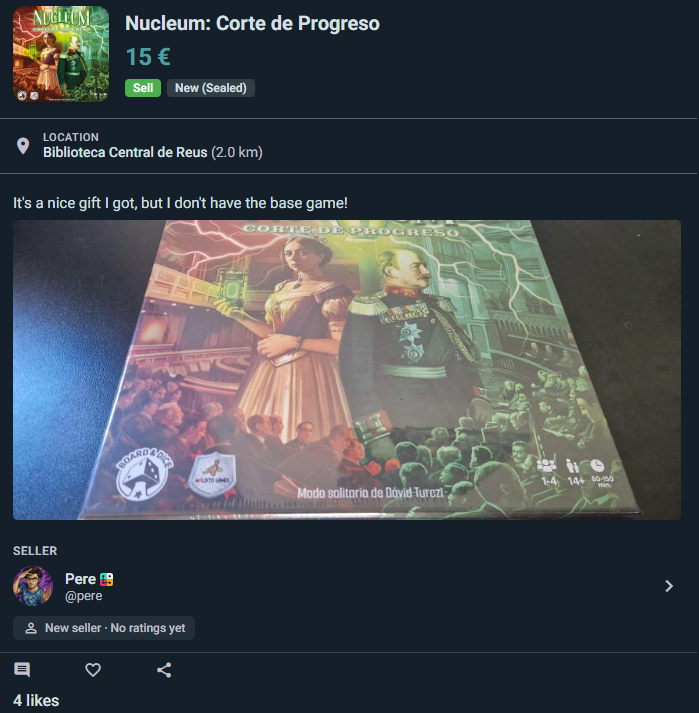
Messaging a seller about a listing opens a thread that carries the listing with it:
- A card at the top shows the game, its price, and the listing's current status — reserved, delivered, completed, expired or cancelled
- Both sides always see it, so nobody has to explain which copy they mean
- Ask questions and agree on payment and handover in the same thread
Sellers get a shortcut: the card has a Reserve for this buyer button, so once you've agreed terms you can mark the listing reserved for that person without leaving the conversation.
Privacy Controls
Who Can Message You
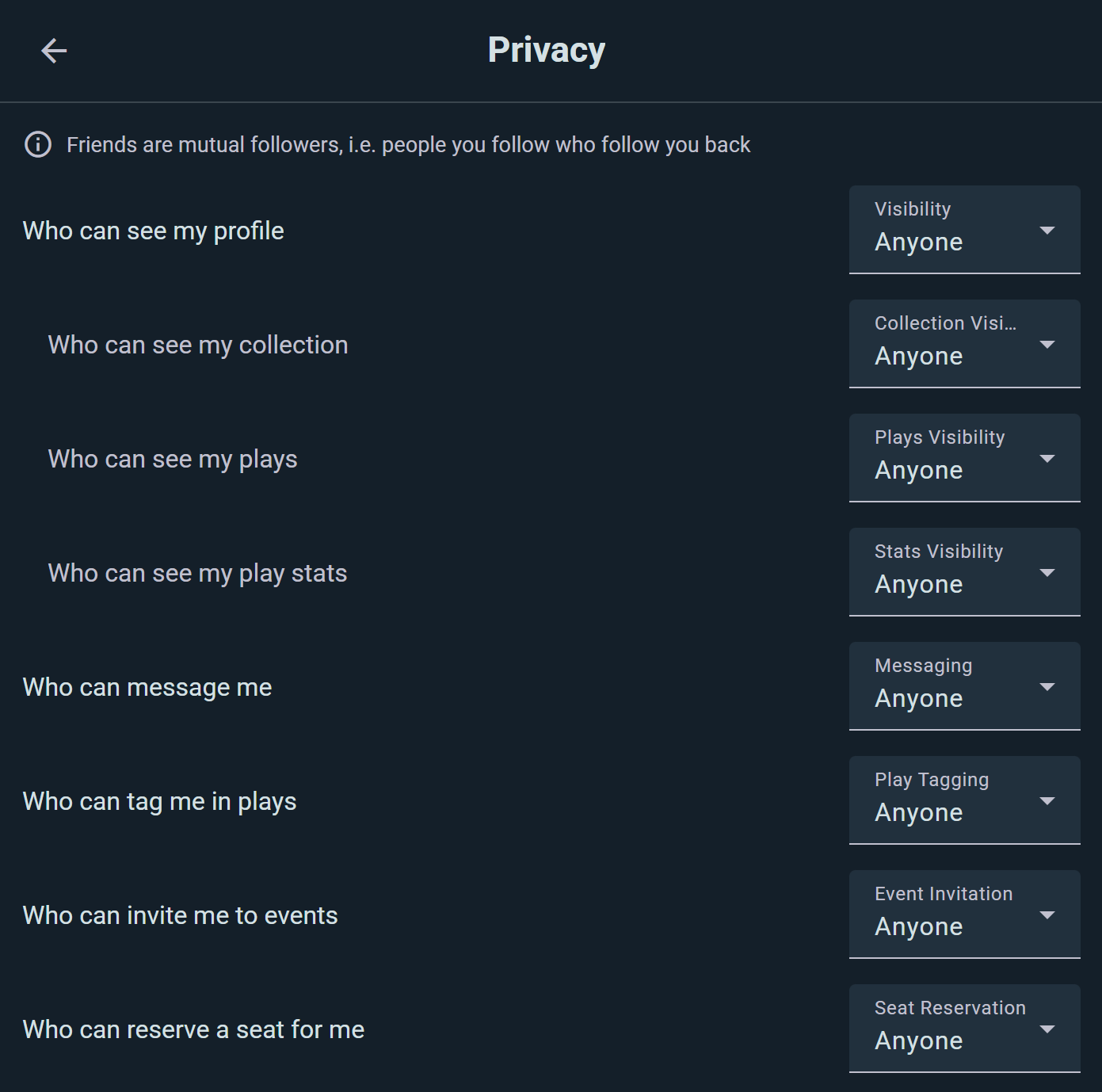
Control who's allowed to contact you directly. Go to Settings → Privacy, find Who can message me, and choose:
- Anyone: anyone on Ludoya can message you
- Friends: only people you follow who follow you back
- People I share group with: only members of your groups
- Nobody: no incoming messages (you can still message others)
Blocking
If someone is bothering you, open their profile and choose Block — you can also block from any post, comment or review of theirs. Blocked users can't message you, and you won't see their messages.
Messaging for Marketplace
The marketplace integration makes buying and selling seamless:
- See a listing you're interested in
- Tap the seller's name or the message icon
- Ask questions about condition, availability, or price in the chat
- Negotiate and arrange payment/exchange in the same thread
- No email required—everything stays in Ludoya
Sellers appreciate being able to answer questions quickly and close deals directly in the app.
See also:
- Marketplace — buying and selling games
- Privacy & Visibility — control your messaging privacy
- Events — coordinating game sessions